Treat Your Dating Profile Like a Product: Metrics & Tests
Published on 1/26/2026 • Last updated 6/29/2026 • 8 min read
I treat my dating profile like a small startup. At first it felt oddly formal—tracking numbers, running experiments, changing a headline like it was a marketing campaign—but within a month I stopped wasting time on matches that fizzled and started meeting people who actually clicked with me.
This isn’t a guide to hacks or manipulation. It’s a practical, data‑informed approach to get better results from dating apps by measuring what matters and iterating like a careful experimenter. Below I walk through the KPIs I track, concrete A/B tests I run, a reproducible spreadsheet sample you can copy, and practical notes on privacy‑respecting tools.
Micro‑moment: One evening I swapped my main photo for a daylight action shot and opened my phone the next morning to more thoughtful openers — a tiny change that saved me awkward first‑message guessing for weeks.
Personal anecdote (about 140 words): I remember the first time I treated my profile as a tiny product rather than a string of selfies. I was tired of matches that never turned into conversations, so I set up a simple two‑week experiment: Photo A (my usual selfie) versus Photo B (me making coffee in natural light). I logged swipes, matches, replies, and any date invites in a spreadsheet. By the end of the second week it was obvious: Photo B attracted fewer aimless likes and more people who asked about the coffee technique — concrete leads worth following. The win wasn’t magic; it was a single variable tested and measured. That experiment changed how I approach every new photo: hypothesize, test, log, and iterate. It saved me time and made dates feel less like shots in the dark.
Quick context to record for your own experiments: city size, test window, approximate swipe or profile-view volume, number of matches per variant, and any unusual timing factors such as holidays or app updates. The goal is not to prove universal percentages; it is to spot consistent patterns in your own profile data.
Why treat your profile like a product
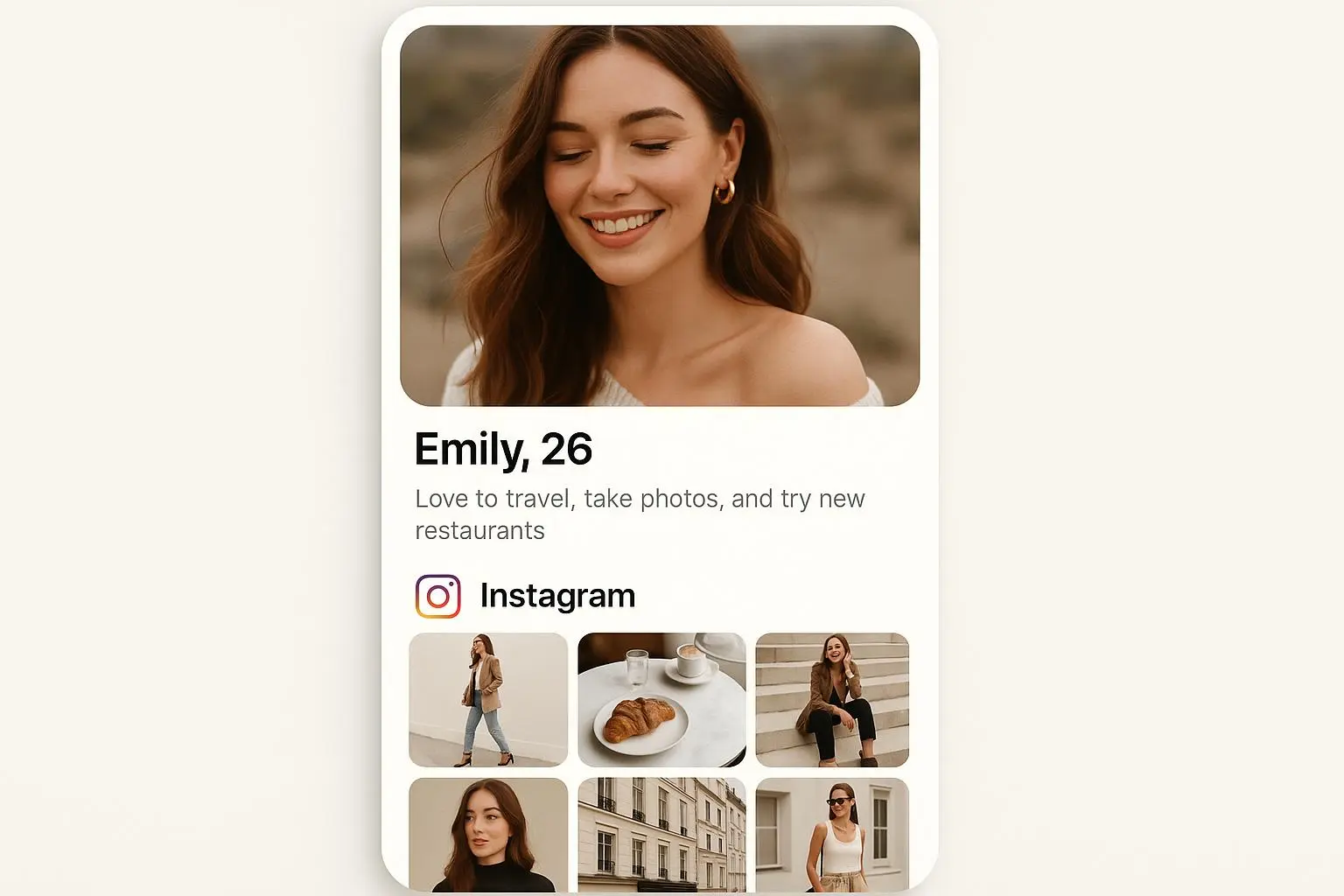
Dating profiles behave like landing pages: headline (bio), hero images (photos), and calls to action (opening messages). People decide in seconds whether to swipe right. If you want better outcomes, measure behavior and test changes systematically.
The difference between vanity and growth is the metrics you care about. Likes and raw match totals feel good but don’t predict whether a match becomes a conversation, a date, or a relationship. Focus on metrics that predict the cutoff between curiosity and connection.

The KPIs that actually matter
You don’t need a complex stack — a simple spreadsheet and a habit of logging will do. Be honest about your goal (casual dates, long‑term partner, or practice). That changes how you weight these metrics.
- Match Rate: matches / right‑swipes (or matches / profile views). Tells you if your profile resonates with your target audience.
- Swipe‑Match Conversion Rate: matches from the swipes you take. If you swipe a lot but match little, your selection or presentation is off.
- Reply Rate: replies to your opening messages / matches you messaged. Separates quantity from quality.
- Message Engagement Depth: three‑tier scale — shallow (1–3 msgs), engaged (4–10), progressing (10+ and scheduling). Track proportion that move from shallow to engaged.
- Photo Performance: which primary photo drives match and reply behavior.
- Active Time & Swipe Timing: log when matches happen; many cities peak 8–10 PM.
- Quality Match Rate (your metric): define quality (e.g., in‑person date within two weeks). Track quality matches / total matches.
Context to record: city size, app, test window, lead photo, bio version, matches, replies, and quality matches. Direction matters more than copying someone else’s percentages.
How to run experiments — A/B tests that actually work
Core principle: change one variable at a time. If you swap your bio and three photos simultaneously, you won’t know what caused the change.
- Start with a clear hypothesis. Example: “Replacing my main photo with an action shot of biking will increase match rate with local cyclists.”
- Pick a primary metric (match rate for photos, reply rate for openers).
- Run small, time‑boxed tests: 7–14 days is usually enough unless your swipe volume is low.
- Log date ranges, change made, match count, reply rate, and conversation quality notes.
Example cadence: Week A = Photo A primary; Week B = Photo B primary. Keep everything else constant.
Suggested A/B test templates (copy/paste)
Openers to test (use personalization when possible):
- Opener A (simple): “Hey — what’s your go‑to weekend escape?”
- Opener B (personalized): “Love your hiking shot — what trail were you on there?”
- Opener C (playful + qualifier): “If we both show up for coffee, are you bringing the good conversation or the terrible puns?”
Photo swap cadence:
- Test one photo swap per 7–14 days. Keep order stable and log results.
- Primary photo changes first; keep secondary images identical for the week.
Example experiments (concise)
Photo swap example:
- Week 1: Photo A primary — record matches, replies, and quality matches.
- Week 2: Photo B primary — record the same metrics in a comparable window. Conclusion: keep the photo that improves conversation quality, not just raw matches.
Opener A/B example:
- A: generic question — record reply rate and reply depth.
- B: personalized comment referencing their hiking photo — record the same metrics. Conclusion: keep personalization only if it improves reply quality without feeling forced.
Practical spreadsheet: copy this CSV sample
You can paste this into Google Sheets or Excel. It’s intentionally minimal and reproducible.
columns: date_range, primary_photo_id, bio_version, swipes, matches, replies, quality_matches, peak_hours, notes
Sample CSV (one row per test window):
"2025-04-01 to 2025-04-14","photo_B","bio_v2",620,34,12,6,"19:00-21:00","Photo B: hiking, daylight; personalized openers"
After 4–6 rows you’ll have enough signal to compare variants.
Interpreting results and avoiding false positives
- Run tests long enough to include weekly cycles (avoid holiday weeks).
- Aim for sensible sample sizes: try for at least 30–50 swipes or 15–25 matches per variant before strong conclusions.
- Control for external factors: seasonality, local events, or appwide changes. If the app rolls out a feature mid‑test, pause and note it.
- Use consistent primary metrics per experiment to avoid confusion.
Tools and privacy — what to use and what to avoid
You don’t need third‑party automation to get started. Acceptable, privacy‑respecting approaches:
- Manual exports + spreadsheet: most reliable and fully private.
- Built‑in app analytics: use the app’s own insights where available.
- Third‑party trackers: only use ones that aggregate metrics without scraping message contents, require minimal permissions, and have clear privacy policies.
Avoid tools that ask for full access to your messages or scrape DMs. When evaluating a tool, look for: explicit non‑storage of message text, anonymized/aggregate reporting, and a clear delete/export policy for your data.
(Optional) If you prefer automation: use notification‑based trackers that capture only counts (matches, likes) rather than message contents. Treat any tool with a vague privacy policy as a red flag.
Tweaks beyond photos and bio
Small details add up: keep the first 1–2 lines of your bio decisive (mobile users often see only a snippet). Use 3–5 photos: headshot, full‑body, hobby/action shot, social photo. Use specific verbs and anecdotes in microcopy: specifics invite follow‑ups.
Also consider filters: tightening distance by 5–10 miles can increase likelihood of meeting. And favor natural light and genuine expressions over heavy filters.
When metrics contradict each other
- High match rate, low reply rate: profile attracts curiosity but not alignment. Clarify intent in bio and sequence photos to filter better.
- Low match rate, high reply rate: you may be too niche. Loosen one parameter (language or photo style) while keeping what drives quality.
Ethical notes
Don’t treat people as conversion units. Don’t automate messages at scale or mass‑like. Respect consent and avoid scraping private content. Good growth respects users.
How often to audit
- Weekly: quick log of match counts, reply rate, notable messages.
- Monthly: a single photo/bio test or refresh.
- Quarterly: revisit what “quality” means and adjust filters or cadence.
Example: one full experiment row
"2025-03-01 to 2025-03-14","photo_climb_daylight","bio_climb_short","record","count","count","count","20:00-22:00","Swapped primary to climbing photo; used personalized openers; compare reply quality against baseline"
Final checklist to get started today
- Pick one clear objective: casual, serious, or practice.
- Create the spreadsheet with the columns above.
- Run a one‑variable A/B test for 7–14 days.
- Measure match rate, reply rate, and your quality match rate.
- Iterate: keep what works, discard what doesn’t.
Closing thoughts
Treating your dating profile like a growth project is about being intentional, curious, and respectful. It won’t remove the nerves before a first date, but it will help you meet people who are more likely to be aligned with what you want. Optimize for quality, not quantity — that single shift in focus changes who you meet and how conversations start.
If you want a one‑line takeaway: measure what matters, test one thing at a time, and choose tools that protect other people’s privacy.
References
Try the tools
Put this advice into action
Use the matching Rizzman tools to turn the advice into a stronger profile, opener, or reply.
Dating Profile Optimization: Complete Guide to Getting More Matches (2026)
Step-by-step dating profile optimization with photo strategy, AI photo rating, bio formulas, and Tinder, Hinge, and Bumble tactics for better matches.